Event Planning App
Overview
Event coordinators have a stress score of 51.15%, which puts them almost neck-to-neck with law enforcement officers (51.68%) and airline pilots (60.54%).
I began to think about how we can help event planners reduce stress with a planning app that would partially or completely improve pain points in event planning.
My Role
As a designer, I was responsible for conducting user research, sketching explorations, wireframes creation, user flow analyses, and creating high fidelity prototypes to be implemented.
Solution
In order to find a solution to the problem, I had to answer several questions. As the next step in this direction, interviews with event planners were scheduled.
Target Audience
- Female(80%) & male (20%)
- Professional event planners
- People who like parties and organize such events
- People who plan their daily tasks and want to spend time more efficiently
- Age between 25 and 50
- Primarily plan with mobile apps
After I found our target audiences for user research, I started to design questionnaires to understand the following questions:
- What type of parties/events are people planning?
- What are the typical steps people are following when planning events?
- What information about an event is most important for the planners?
- What tools are used for parties/events planning?
Persona & Empathy Map
With the user interview result, I created a persona that helped me stay focused on the needs of the users throughout the design process, and empathy mapping, which helped me realize that what users think, say, do, and feel can be different. I observed the user’s behavior during user interviews to collect data, which enabled me to think from the users’ perspective.


Competitive Analysis
According to research, most planners prefer to be alerted in advance of the tasks and deadlines associated with an event. Plus, users need a place to interact with other users, as well as share the necessary information with customers and vendors. Also, users need a fast and effective customer feedback gathering mechanism for actionable insights. The users need to create a checklist, follow all planning steps, and track an event timeline. So based on the areas that users demand, I compared the functionality of two other well-established competitors ’apps. The mentioned functionality is either not present in one plan, or it is present in more expensive service plans.
“How might we…” questions:
- How might we provide a comprehensive solution that allows the event planner to be alerted in advance of the tasks and deadlines associated with an event?
- How might we help event planners create a checklist, follow all planning steps, and track an event timeline?
- How might we provide an integrated solution for communicating and sharing the necessary information with customers and vendors?
- How might we build a solution for event planners to gather customer feedback across all relevant event-related channels for actionable insights?
Design & Ideate
The design stage of the UCD process is the stage in which I started making design decisions and visualizing a solution based on what I learned from my research during the Discovery stage. I begin to explore solutions to the problem I'm trying to solve and identify a solution that I’d like to prototype.
User Stories
I created user stories and decided which to prioritize for my MVP (Minimum Viable Product). A user story is a description of what a user (i.e. a user persona or personas you created based on research) needs to do to accomplish a task and why they need to accomplish it, rather than a description of a solution.

Mapping Information Architecture
I used a card sort exercise to allow users to identify the naming of the app’s main navigation menu. The result of this card sort is to improve readability, usability, and legibility of the navigation. I use an online tool for this activity. Based on the MVP provided, I used the user stories to create the cards that need to be sorted by the users. Once the areas are identified, it is the users’ job to group all relevant cards and create understandable and easy-to-use navigation.

Sitemap
Once the key app content was organized, I continued to create a detailed sitemap to serve as the guidance to design user flow.

User Flow
The next step of my project is to create user flows that help me identify the critical paths users will follow when using the application.


Ideating The First Concepts
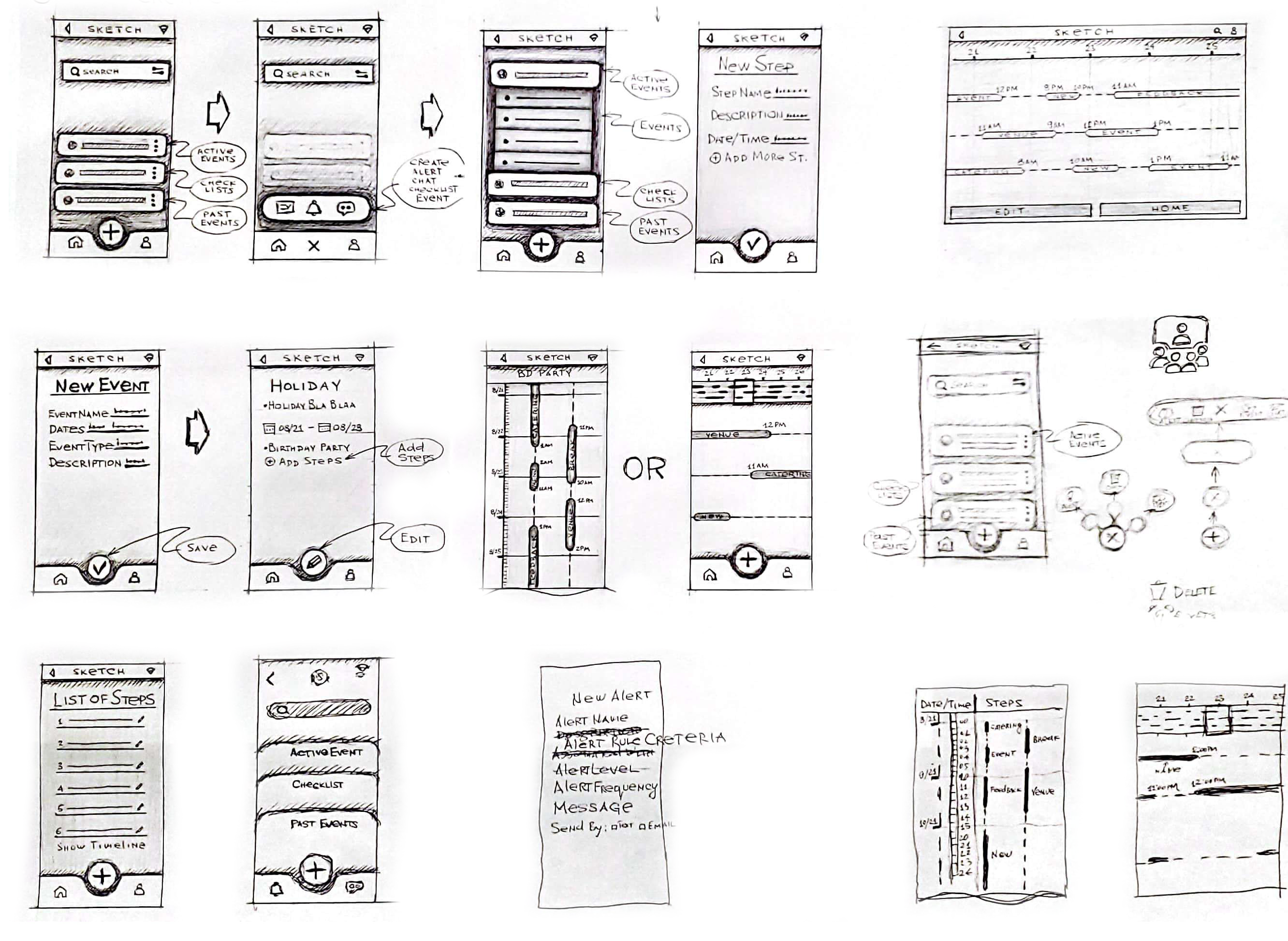
I started to create hand-drawn sketches after all the supporting data was presented.
My users were happy when I approached them with sketches, because this is much more fun than interviews and surveys. Some said the icons were too small. Some users complained about the menu, which was confusing. And finally, the users successfully completed the task after interacting with the sketches.
Building a Style Guide
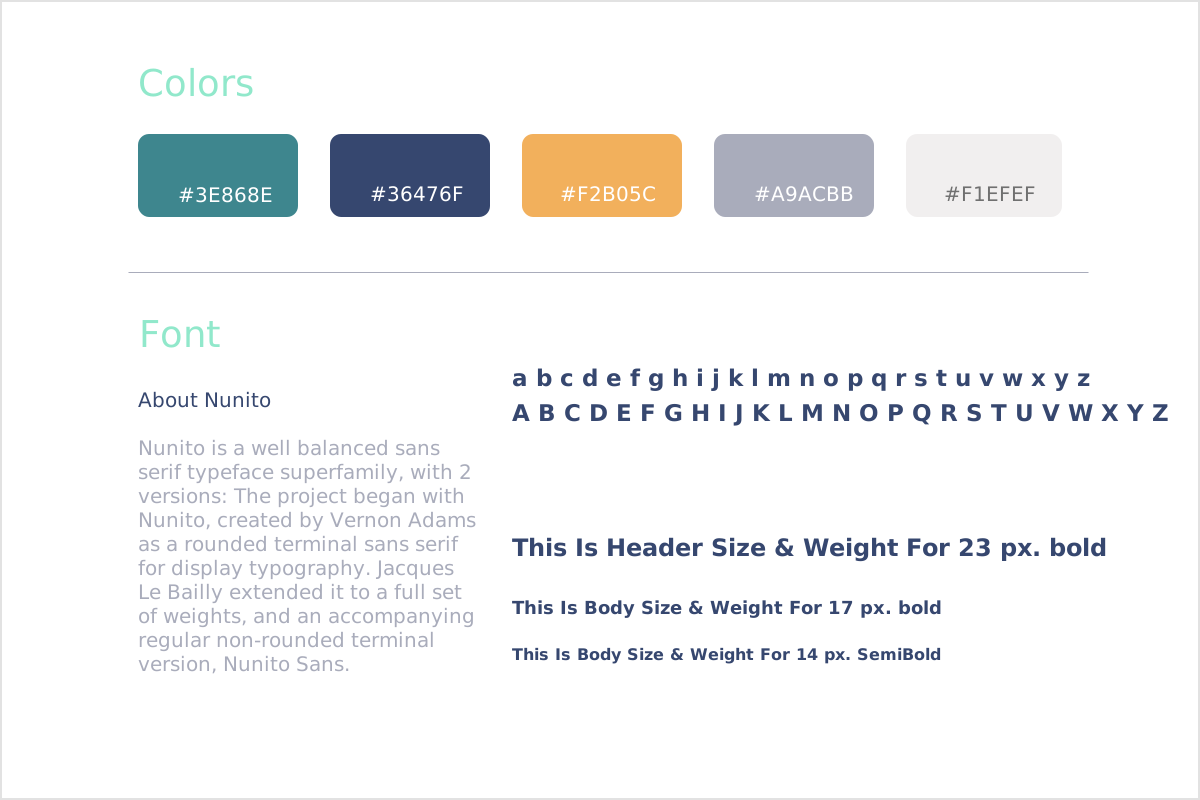
I created a style guide for my project. A color palette sets the tone of a product, a site or an app and creates an emotional connection between that product and the user. Font directly affects the readability and ease of use of a product.
Wireframes
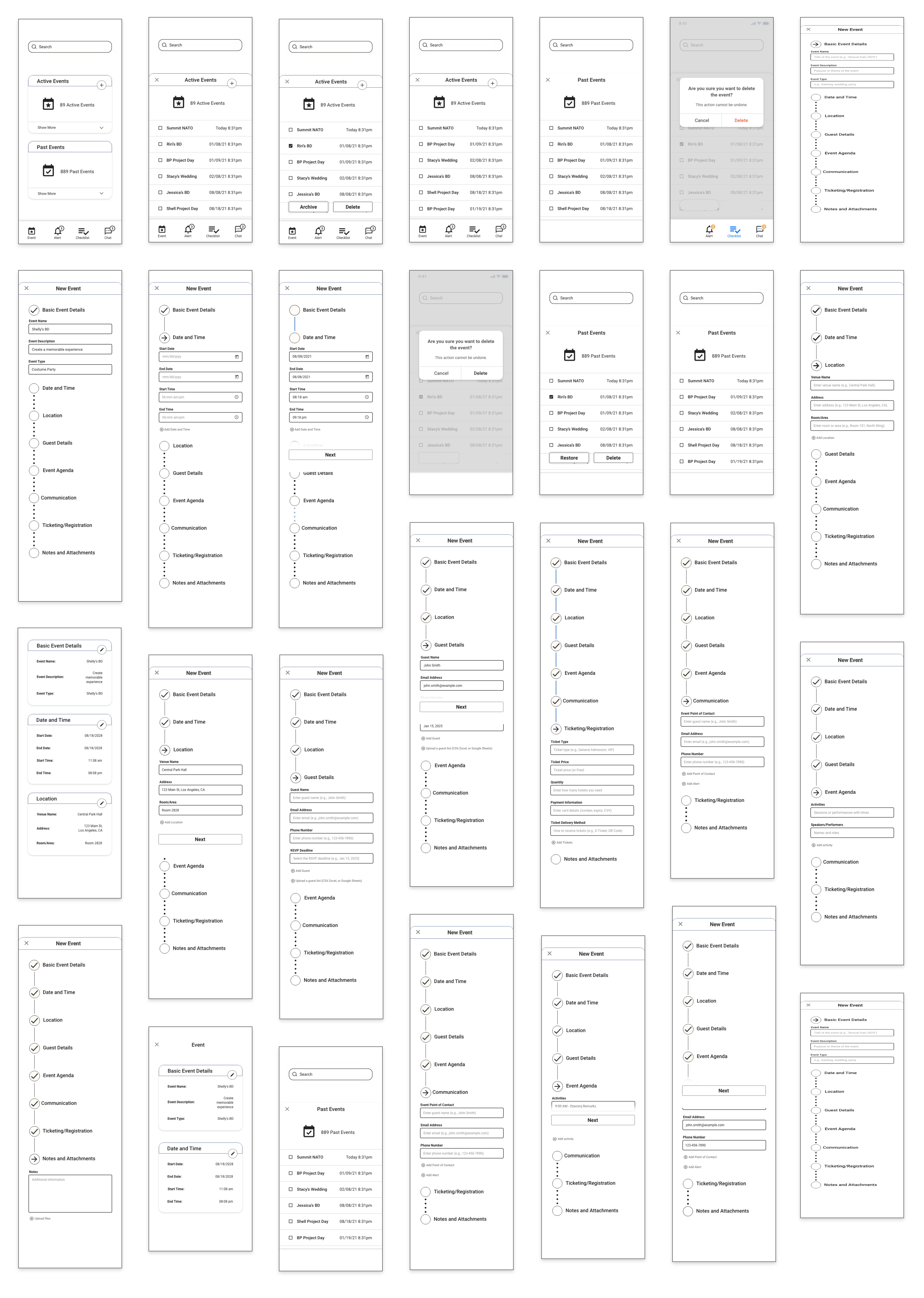
Once there was no issue with the sketches, I moved on to creating wireframes. I used wireframes to define the hierarchy of the elements that make up my product, which will, in turn, help me determine the layout of my product. Wireframes lie firmly in the middle between sketching and high fidelity mockups; they’re more complex than sketches, but they still offer the flexibility and room for innovation that comes with sketching an idea.
Prototyping
Once the prototypes were created, I sent the links to users to get a feel of the actual app for quick user testing.
Create Event
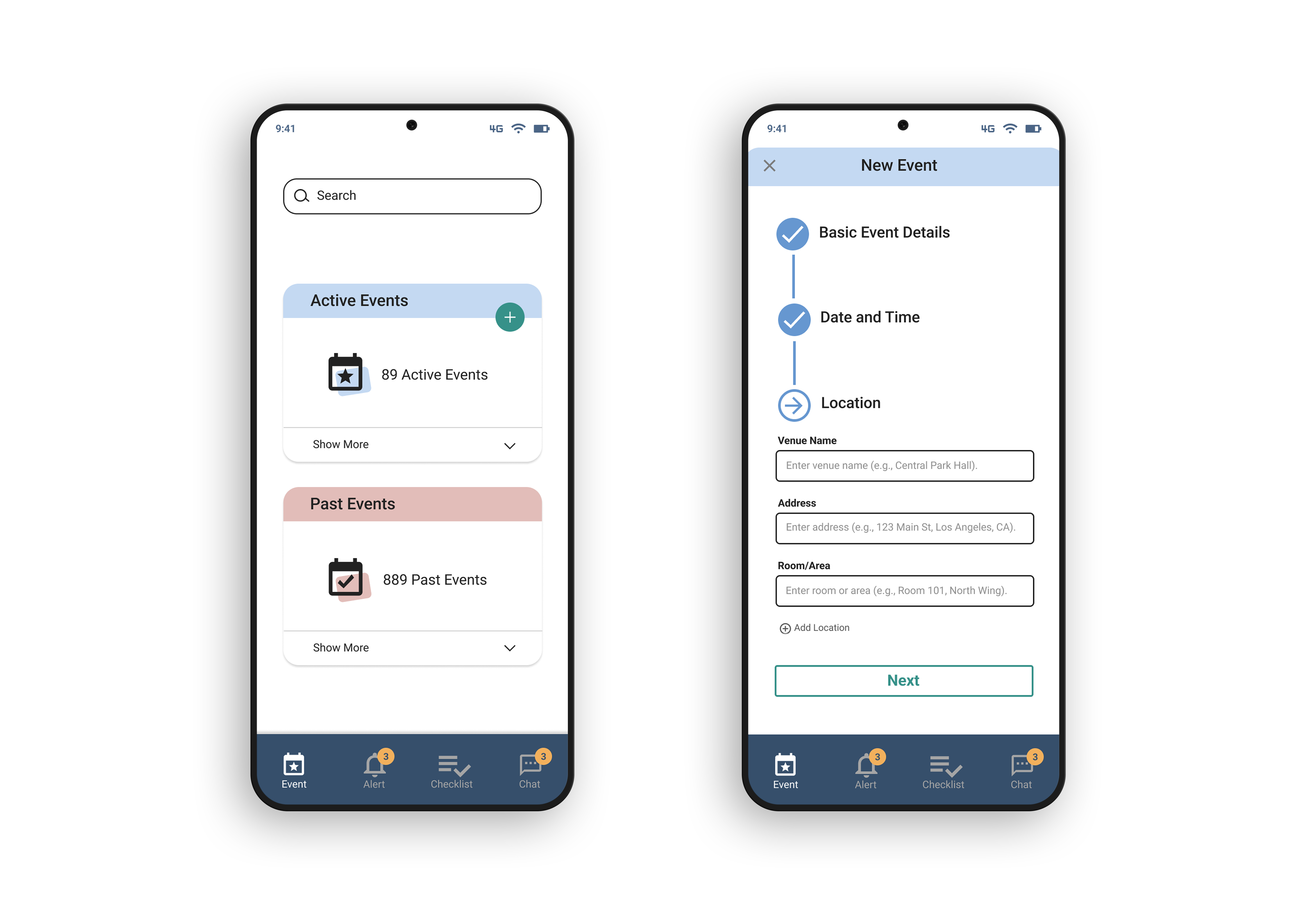
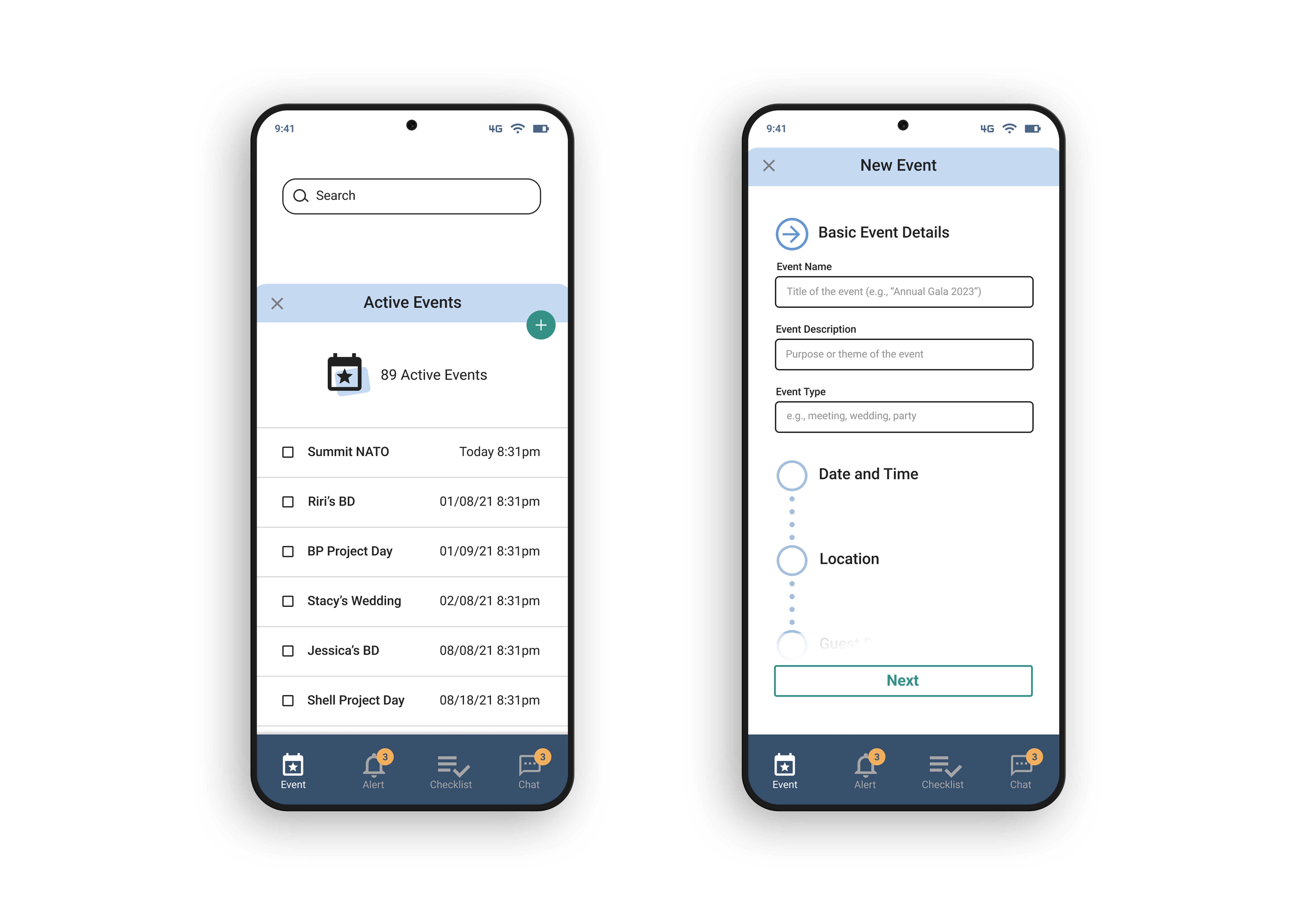
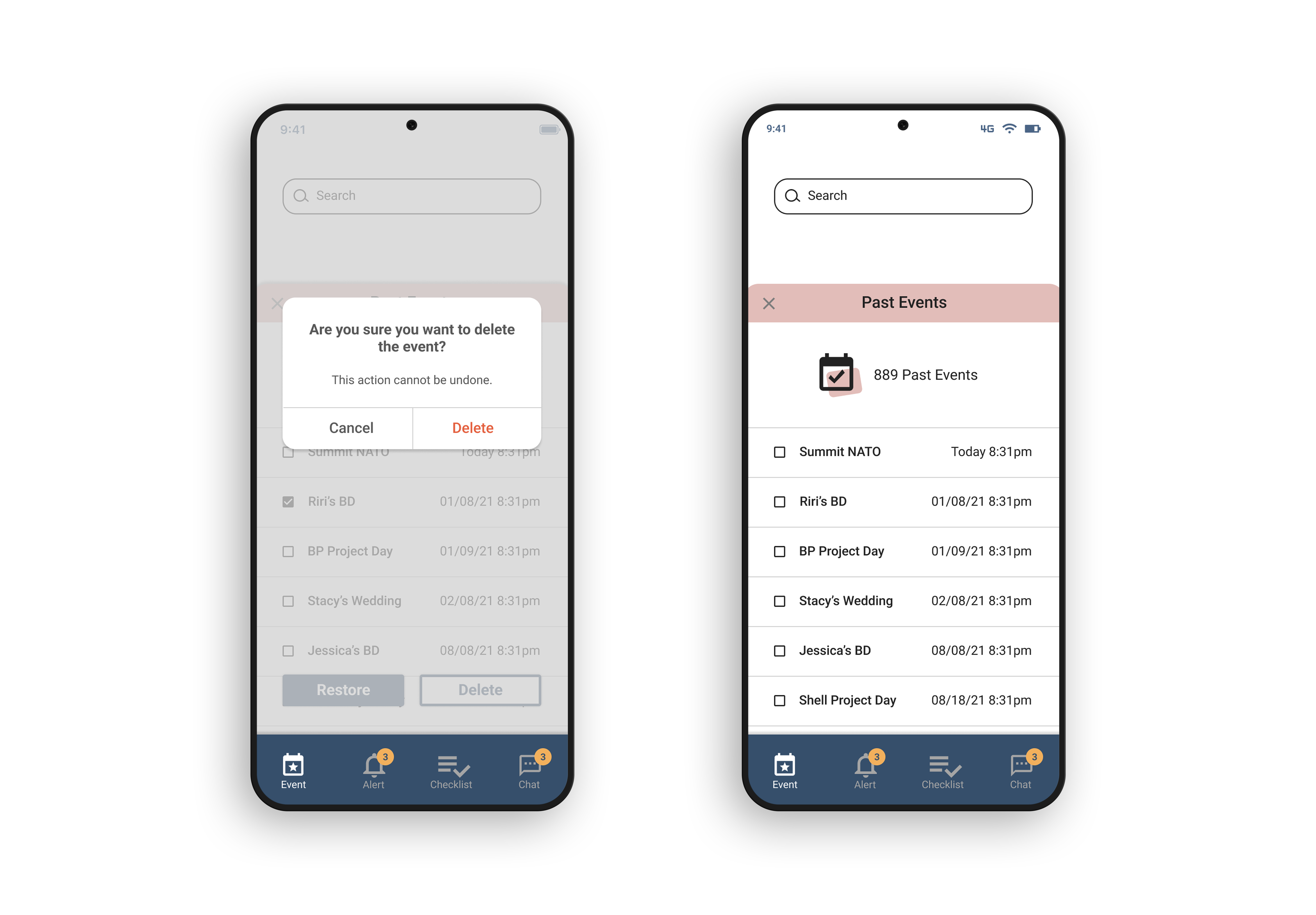
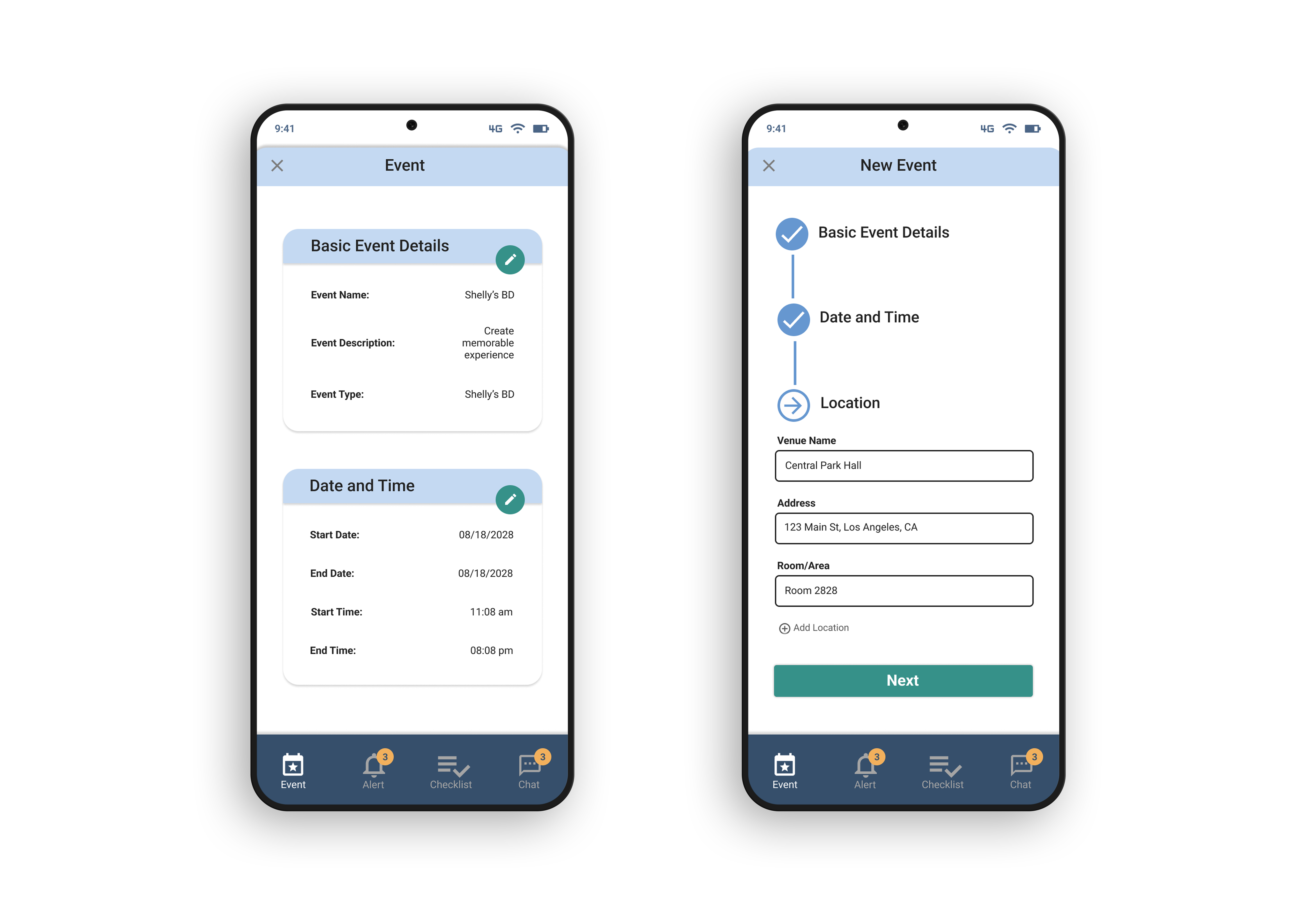
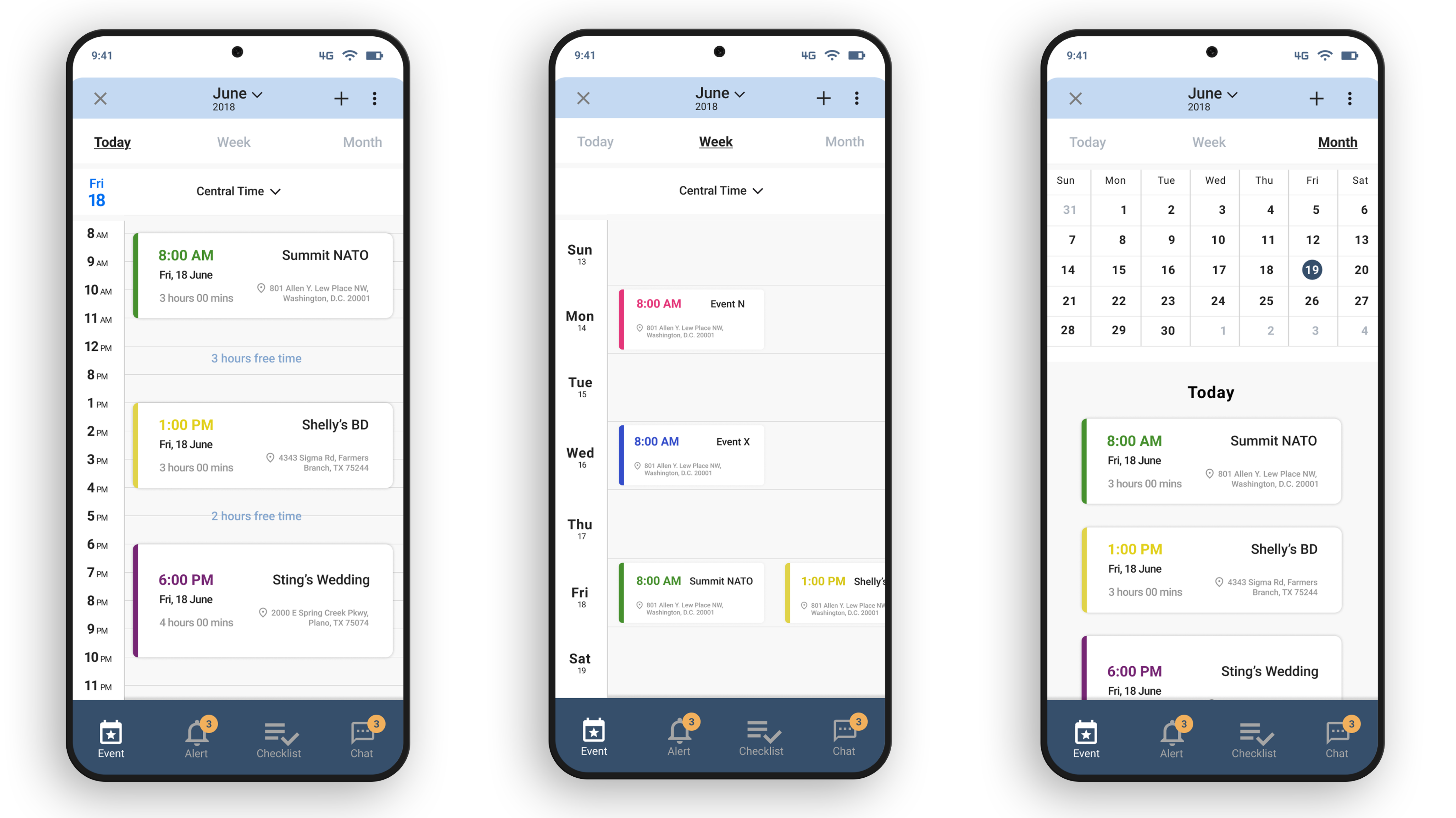
Event Calendar
Validation and Feedback
I invited the same five participants from the user interview to conduct this test using moderated remote user testing. During the test, I asked users to think out loud about everything that crossed their minds. I recorded part of my test after getting the user's permit. This allows me to understand the users better during the entire process. All five users were able to complete the tasks. The only purpose of this test was to test the design of the application. User interactions have been reduced to the minimum, which is sufficient to complete the tasks. There are several issues mentioned by the testers the most that caught my attention, and they are mentioned below.
- Confirmation screens have been added to bring the process to a logical conclusion
- The font size was increased to ensure better accessibility
- Considered edge cases for text fields
- Added option for the timeline screen to switch from horizontal to vertical view
The design process and research of event planning application have radically changed my understanding of the role of event planners.
During the design and research, I identified the typical processes of event planning, which people are involved in planning, what problems they experience in the event planning, and find possible solutions to these problems.
I have designed the tool that allows an event planner to discuss the event in detail with the client, and the ability to share messages and files in real-time, with the option to be alerted in advance of the tasks and deadlines associated with an event. The tool can help create checklists, follow all planning steps, track an event timeline.
I hope my tool will help event planners reduce stress with a planning process, and partially or completely improve pain points in event planning.