
Cooking App
Overview
Nui Cooking is a new startup that wants to make it easier for people to follow new recipes, and cook delicious meals at home.
Problem
Recently, Nui Cooking has seen some negative reviews about recipes that involve many steps, or more advanced techniques.
I have noticed that the application has difficulties with:
- Presenting detailed preparation and cooking times
- Necessary kitchen equipment and ingredients for cooking
- The order of cooking steps
- The ability to see instructions for the next or previous step
- Typical cooking mistakes and troubleshooting
Users
Busy professionals have limited time to research cooking techniques and sort through the wealth of information available on the internet.
My Role
Nui Cooking have brought me on board to run a design sprint to quickly test out possible solutions.
Following the company requirements, I completed the project in 5 days according to the Google Ventures (GV) design sprint procedure.
Day 1 of GV design sprint
Familiarize myself with the problem, read through some research, and map out my product’s most important user flow.
Constraints
- Current recipes are written as text, in ordered basic steps from start to finish.
- The solution should be designed as features for the Nui Cooking native mobile app.
- Focus on creating a better experience for users when it’s actually time to cook it.
Possible Solutions
- To split the cooking time to "Preparation", "Cooking" and "Ready In" time.
- Add a list of needed ingredients and an option for shopping all or missing ingredients for the current recipe.
- Add a list of equipment/kitchenware needed for a current recipe.
- Change the order of steps to use the kitchenware more efficiently, so you can use the same equipment several times without washing it.
- Add an option to follow cooking steps presented as a text list, images with descriptions (to compare the current result with the expected result), or follow the steps with detailed video instructions.
- Add an option for going through recipe steps (forward and back) without touching the phone (using voice commands).
- If the user makes small mistakes, it will be helpful to add an in-app tool in which you can add new ingredient amounts, new time, etc., and show possible results.
- Prepare for the next step, showing what to prepare for the next step/few steps ahead.
- Add a progress bar.
- Add an in-app timer.
- Add a description of common mistakes when preparing a particular recipe and how to avoid them.


Day 2 of GV design sprint
Lightning demos - Solutions competitors have produced to solve problems similar to the one I’m trying to solve. Sketch ideas as a way to ideate and generate possible solutions.
Split the cooking time to "Preparation", "Cooking" and "Ready In" time.

Add a list of needed ingredients and an option for shopping all or missing ingredients for the current recipe.

Add a list of equipment/kitchenware needed for a current recipe.

Add an option to follow cooking steps presented as a text list, images with descriptions (to compare the current result with the expected result), or follow the steps with detailed video instructions.

Add an option for going through recipe steps (forward and back) without touching the phone (using voice commands).

Prepare for the next step, showing what to prepare for the next step/few steps ahead.

Add a progress bar.

Add an in-app timer.

Connect to your oven and send time setting directly through Bluetooth or WiFi.

Add a description of common mistakes when preparing a particular recipe and how to avoid them.

Crazy 8s

Solution Sketch

Day 3 of GV design sprint
Storyboard creation that includes my solution sketch.
Storyboarding
I decided to proceed with adding an option for video/text & pictures/text instructions, list of needed tools & ingredients, tips for preventing mistakes, splitting cooking time to "Prepare", "Cook", "Ready In", hands-free app usage, progress with visible next and previous steps.

The process starts from the home page when the user starts cooking by choosing a recipe. After that, he checks the preparation time, cooking time, and total cooking time. The user checks all the necessary tools and ingredients and if they are missing, he has the option to buy them. As the next step, the user selects the type of instruction: video, text or detailed images with comments. The next step is to check tips and best practices and then go to the cooking page, where he can choose the hands-free option. If he chooses the video instructions for the recipe, he watches the video and goes through the recipe until the meal is ready.
Day 4 of GV design sprint
Day four of the design sprint is dedicated to prototyping the solution.
Solution Prototype
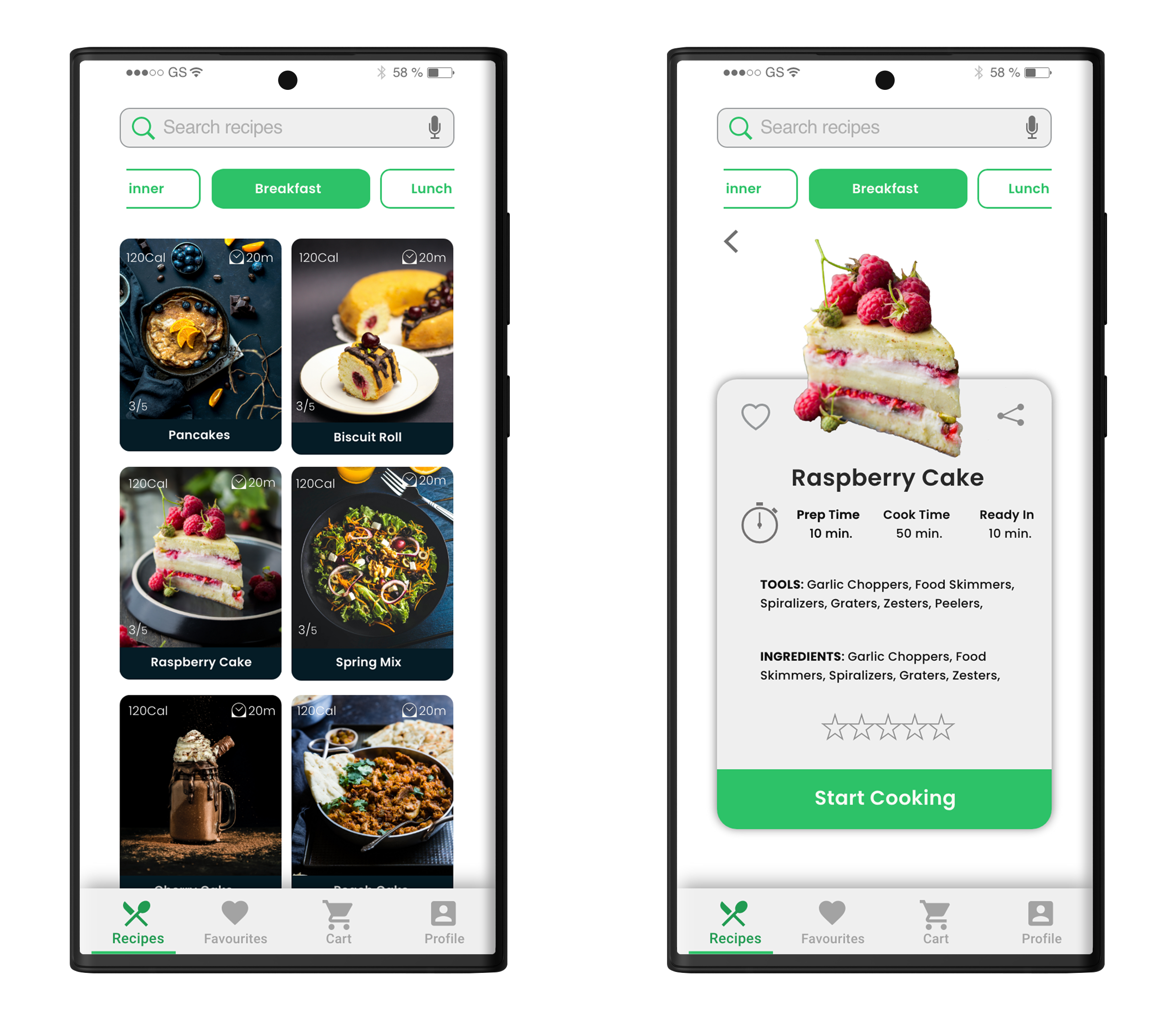
The prototype process starts from the home page when the user starts the cooking process by choosing a recipe. After that, he checks the preparation time, cooking time and total cooking time.
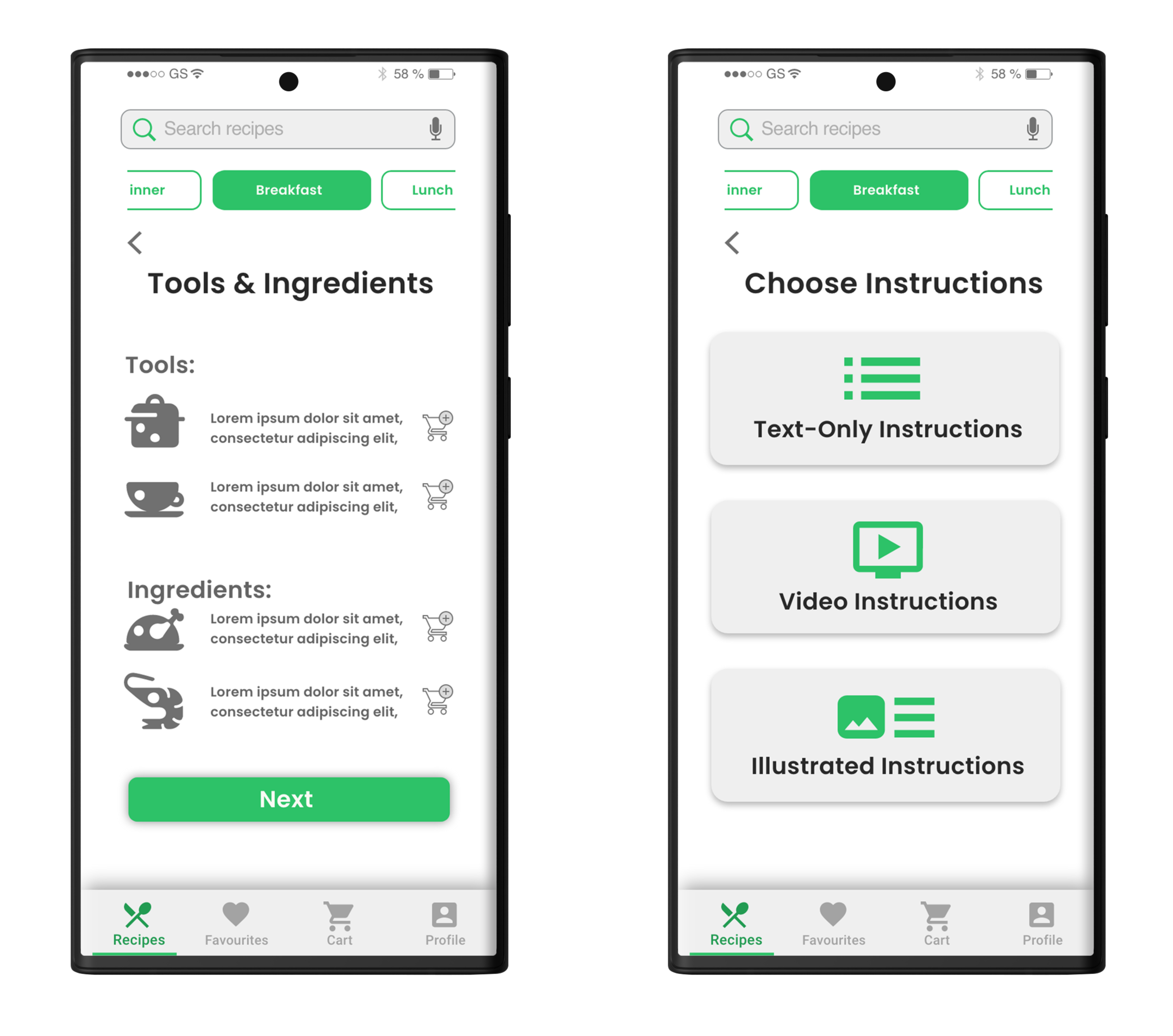
The user checks all the necessary tools and ingredients and if they are missing, he has the option to buy them. As the next step, the user selects the type of instruction: video, text or detailed images with comments.
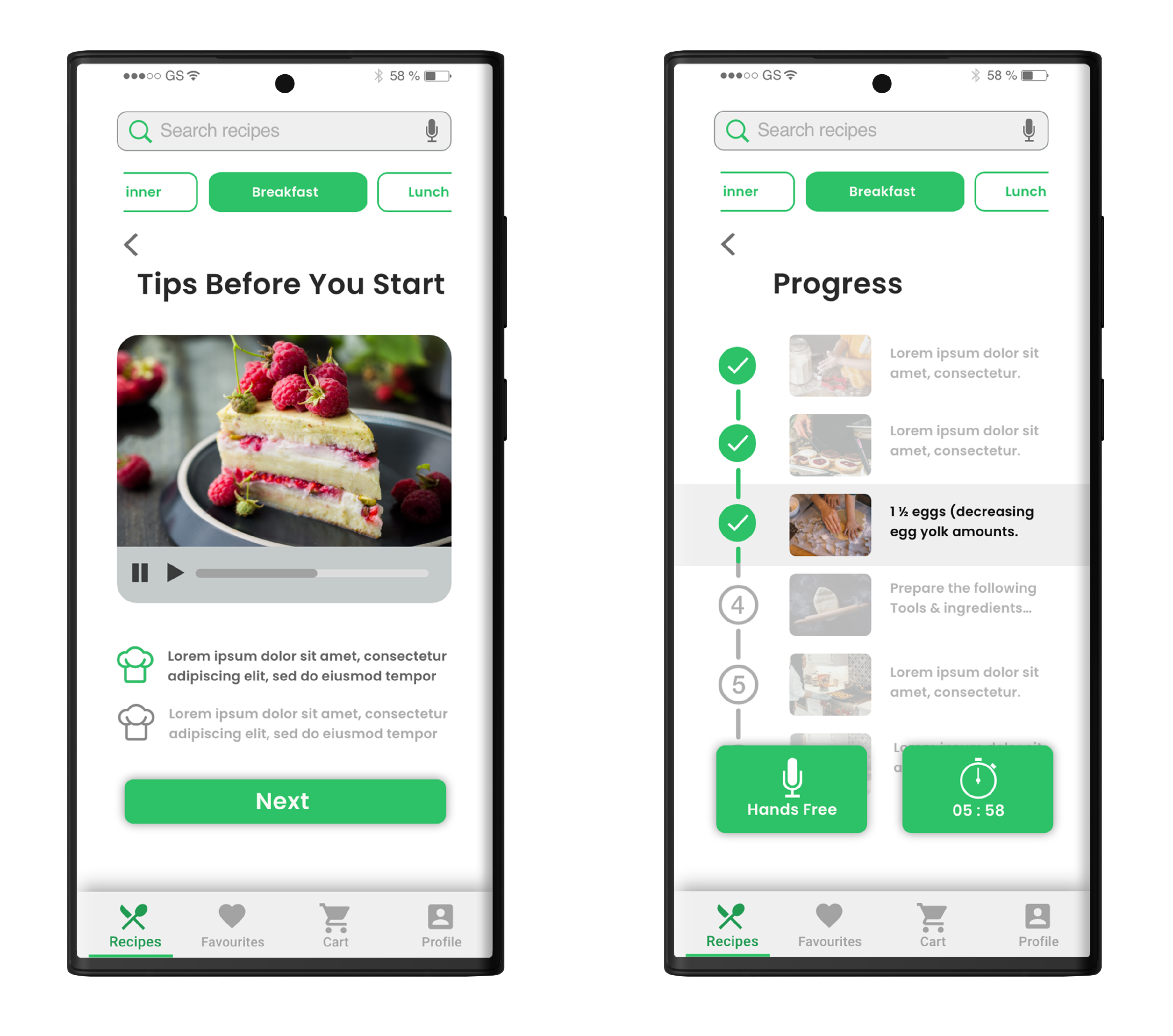
The next step is to check tips and best practices and then go to the cooking page, where he can choose the hands-free option.
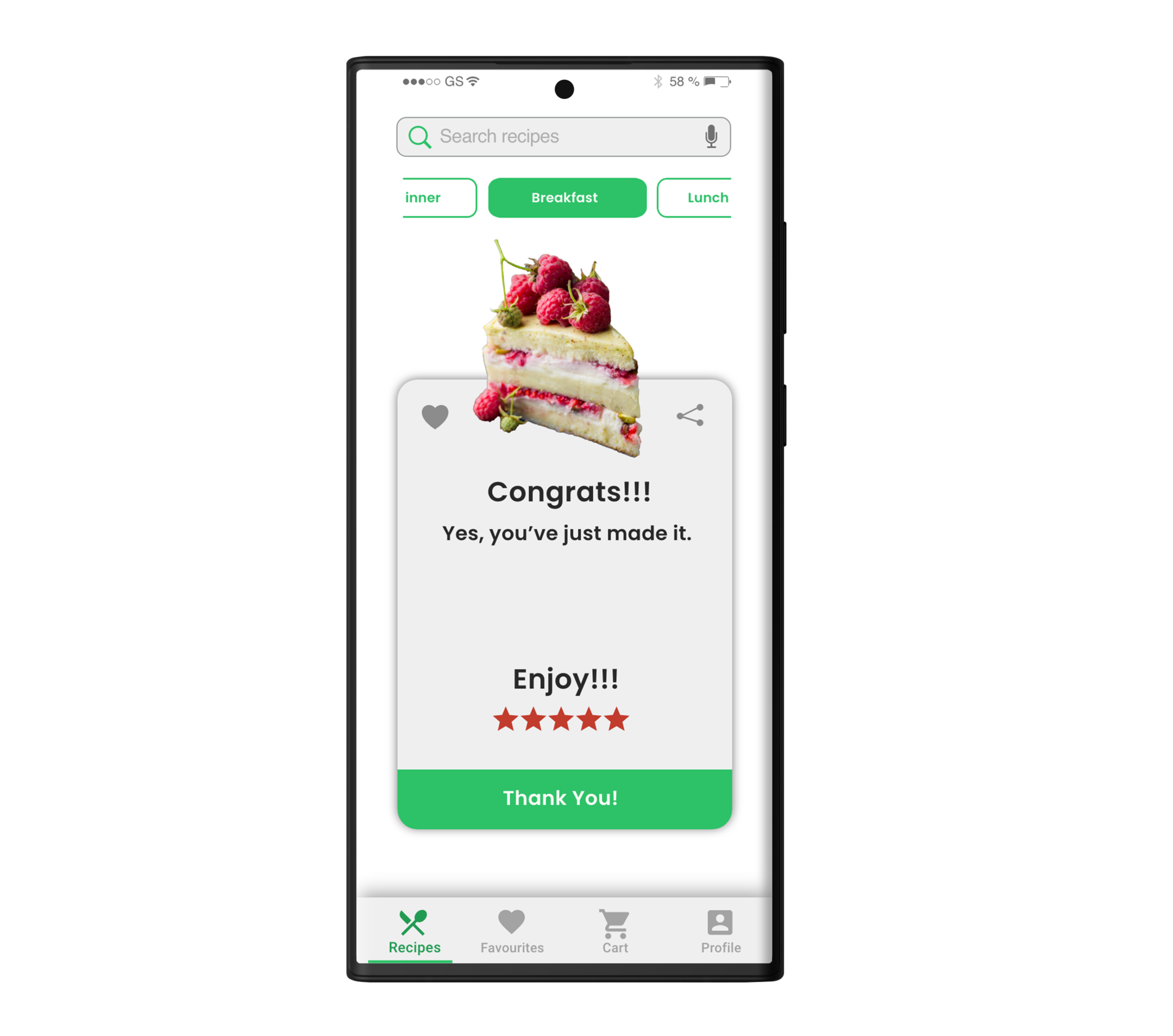
If the user chooses the video instructions for the recipe, he watches the video and goes through the recipe until the meal is ready.
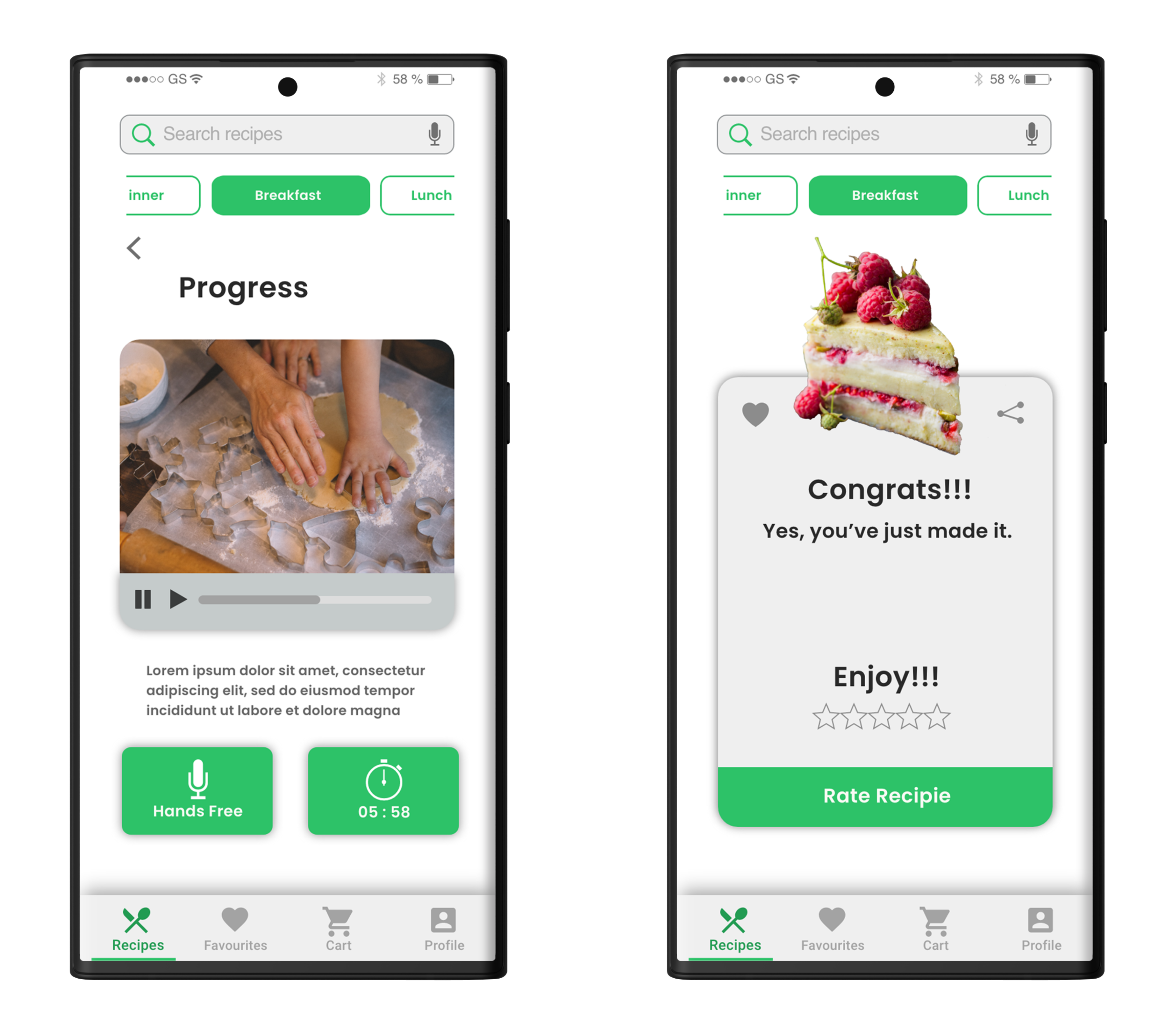
I have created a prototype that presents the detailed preparation and cooking time, the necessary kitchen equipment and ingredients for cooking, the order of cooking steps, and I hope it will be easy and convenient for users to use this application.
Day 5 of GV design sprint
This day is all about testing.
User Interviews
For the user interview, I invited five busy professionals who have limited time to research cooking techniques and sometimes use mobile apps to cook.
Participants
- Users aged 20-60
- Own a smartphone
- People who regularly follow the cooking application app for meal preparation
Testing topics
- How do participants respond to the organization of the screens UI?
- How do participants respond to the detailed preparation and cooking time?
- Is it easy to prepare the necessary kitchen equipment and ingredients for cooking?
- Is it easy to follow the order of cooking steps?
- How do participants respond to the ability to see instructions for the next or previous step?
- Do cooking tips prevent mistakes in cooking?
- Can users complete a meal preparation process?
Findings
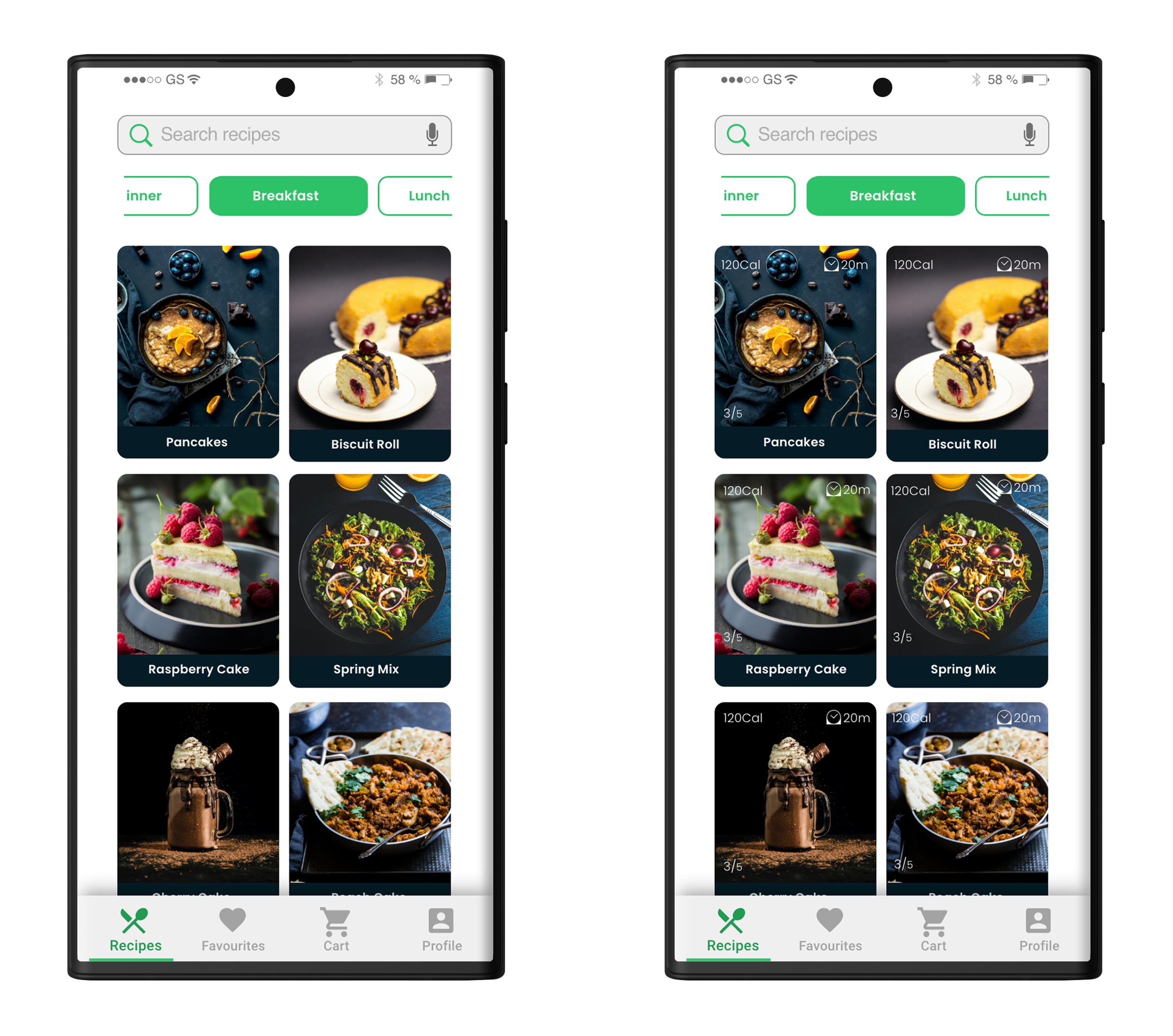
The following changes have been made on the homepage after users commented:
- Added recipe rating, calories, time, change in the top menu.
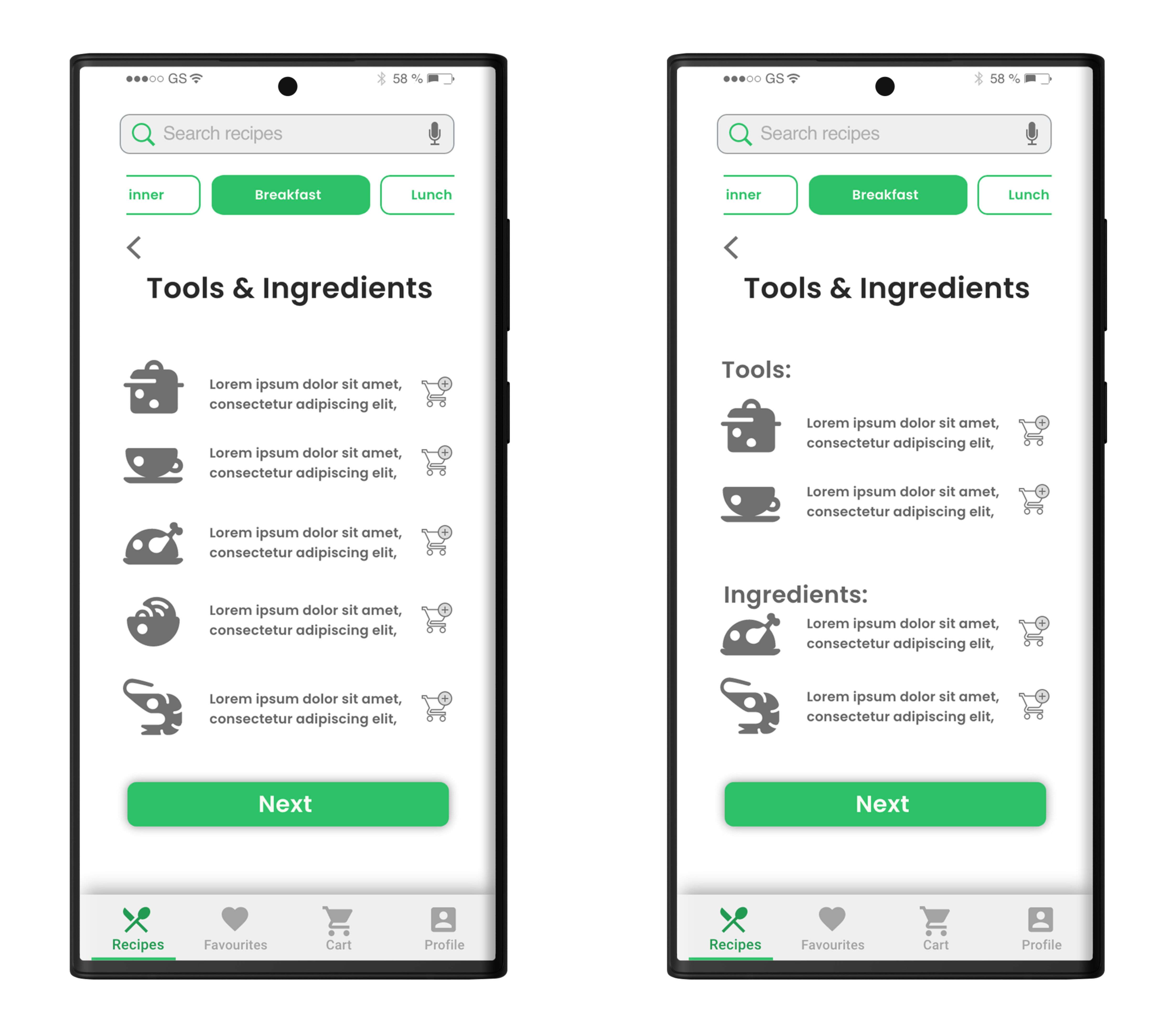
The following changes have been made on the Tools & Ingredients screen after users commented:
- Split the list of tools & ingredients, and added the back button.
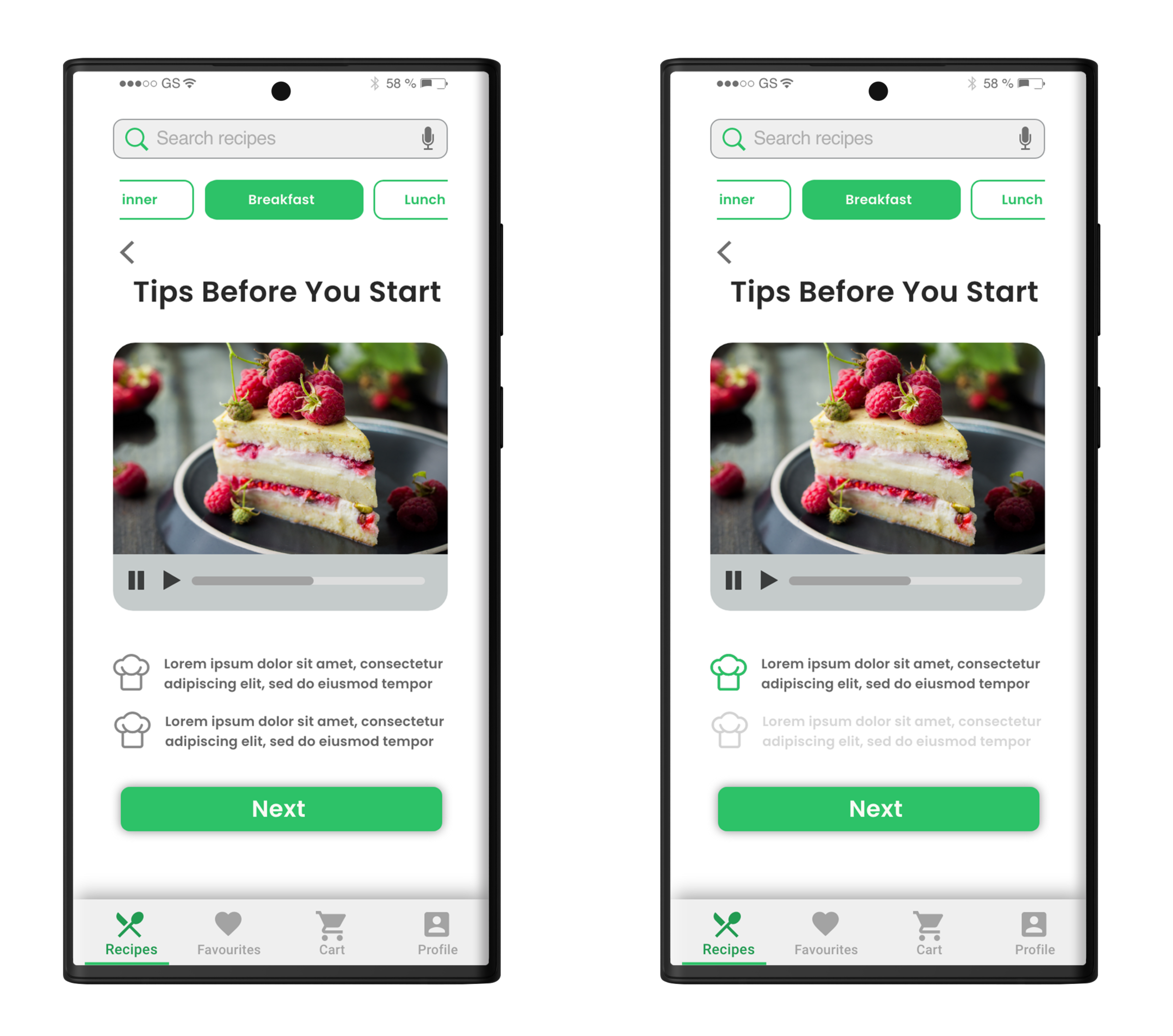
The following changes have been made on the Tips screen after users commented:
- Highlighted current tip, added back button, image changed to video.
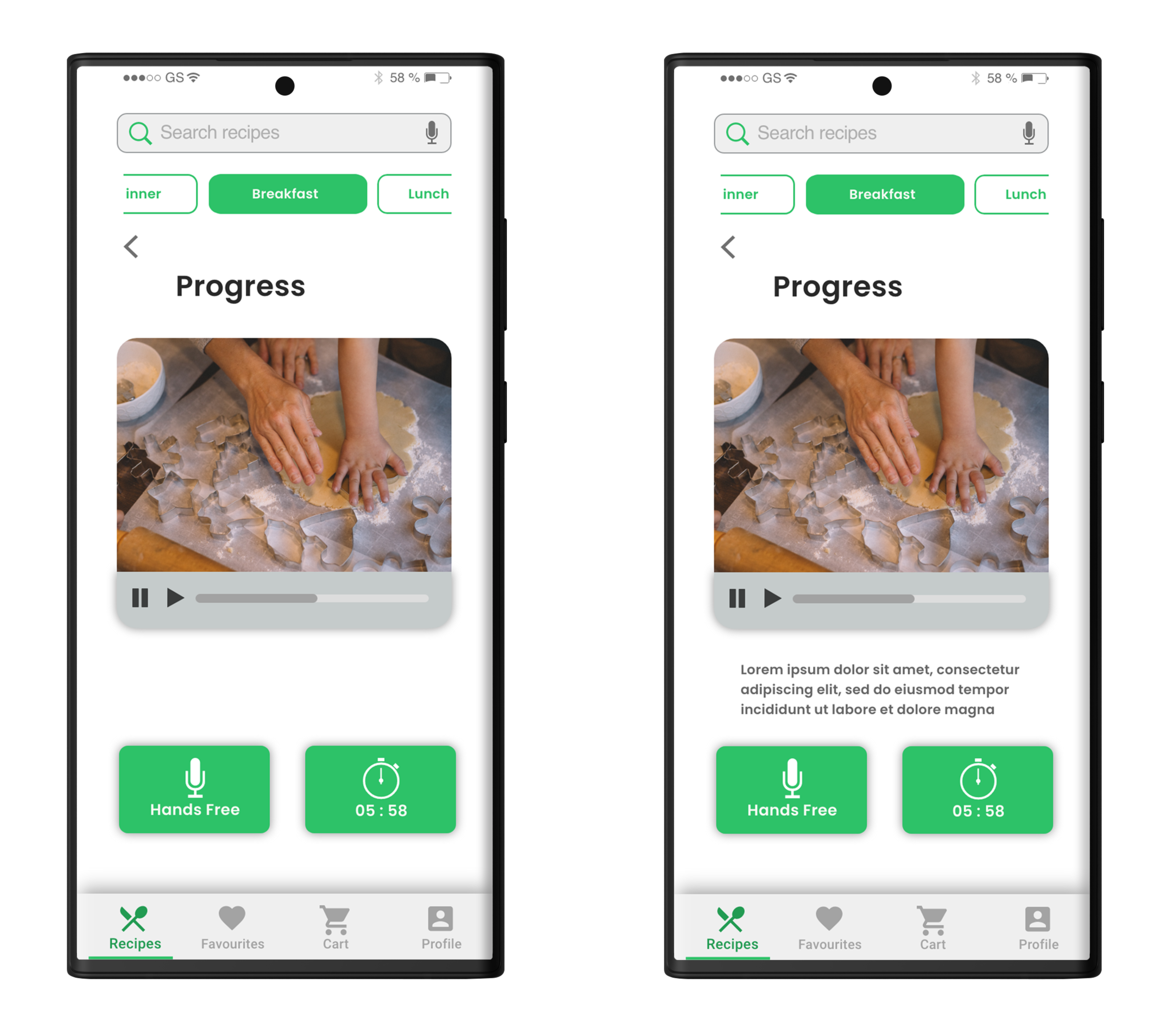
The following changes have been made on the Progress screen after users commented:
- The progress bar is changed.
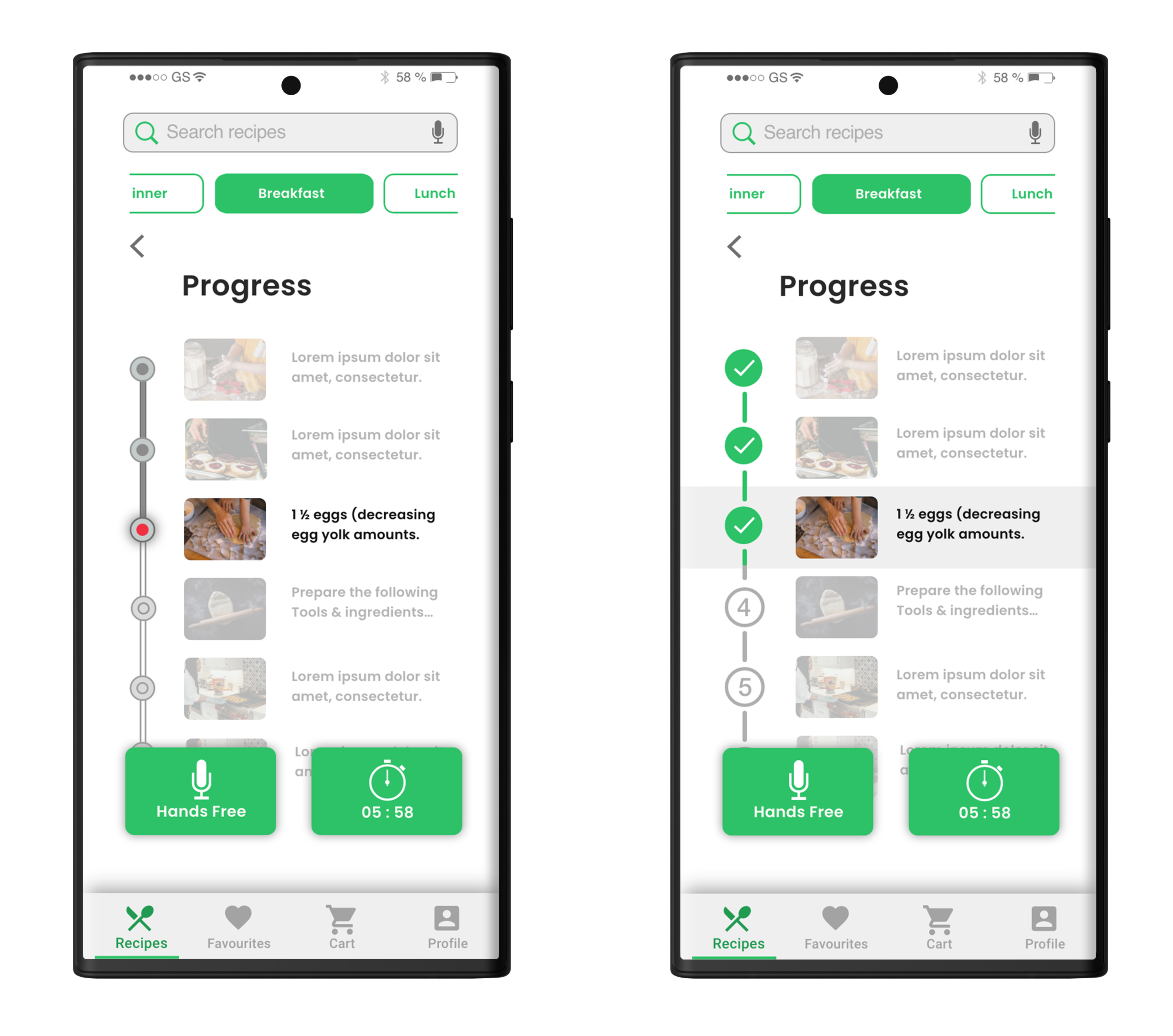
The following changes have been made on the Progress screen after users commented:
- Added captions for the current video instruction.
Enjoy your easy cooking!
Product Demo
Cooking App Interaction
Note: Click here to view the prototype.
What I learned during the GV Design Sprint
You compress months of work into a few days of an effective, and creative process. You can deliver results quickly, even on complex issues.
Instead of waiting to launch a minimal product to understand if an idea is any good, you’ll get clear data from a realistic prototype.
The sprint gives you a superpower: You can fast-forward into the future to see your finished product and customer reactions, before making any expensive commitments.